Scan or upload an image
Use a screenshot, poster, flyer, notice, or schedule you already have.
Android app
SnapEvent turns screenshots, posters, flyers, school notices, and event schedules into calendar events fast. Scan the image, review the details, fix anything that looks off, and save.
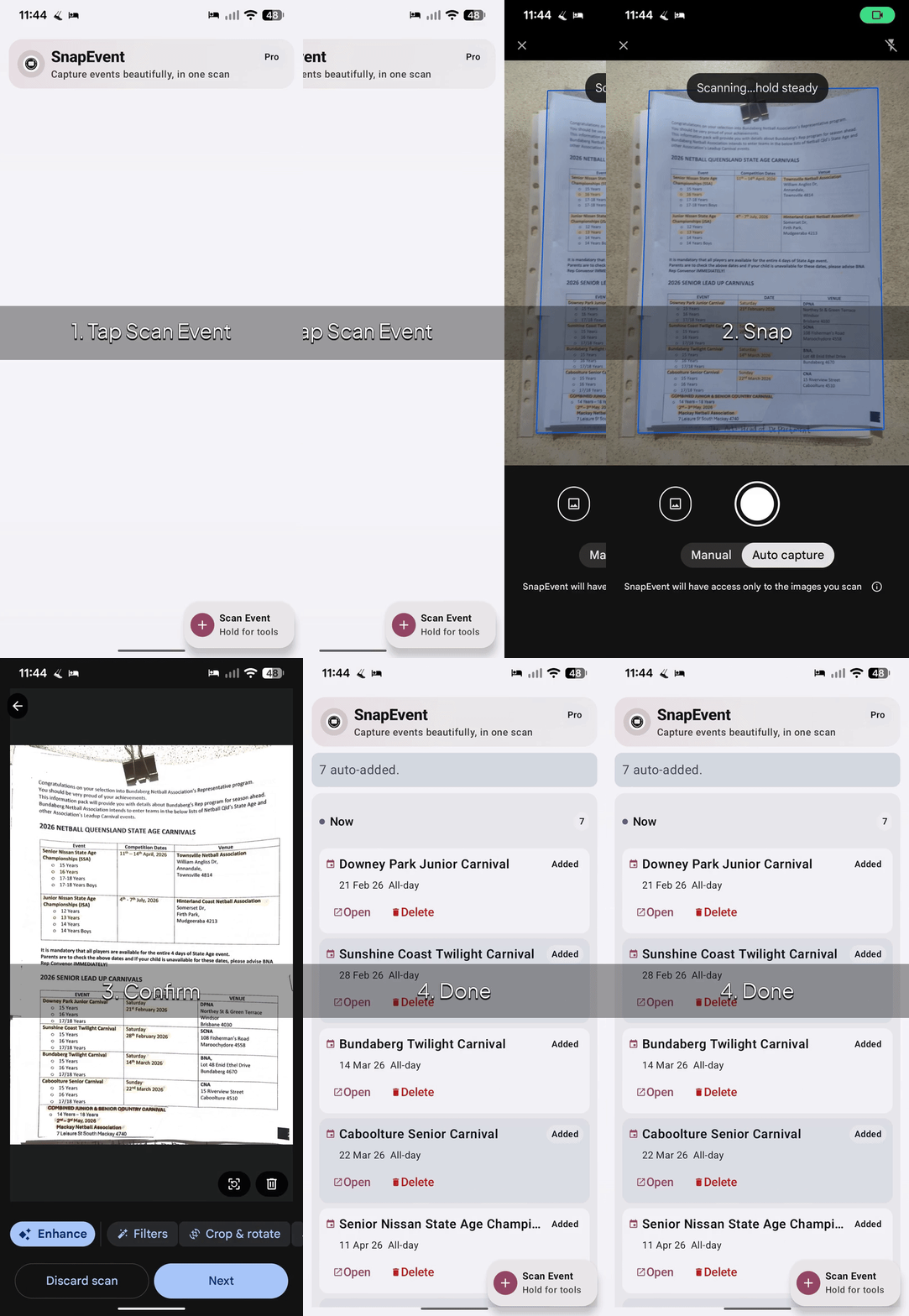
How it works
Use a screenshot, poster, flyer, notice, or schedule you already have.
Check title, date, time, location, and other event info before saving.
Make small edits if needed, then add the event to your calendar in seconds.
Why SnapEvent
If events show up in group chats, school notes, social posts, community flyers, or printed schedules, SnapEvent gives you a quicker path from seeing them to saving them.
No more manually typing titles, times, and locations from screenshots or flyers.
Built for quick event capture when life is busy and attention is fragmented.
Useful for school notices, sports fixtures, concerts, markets, conferences, and family plans.
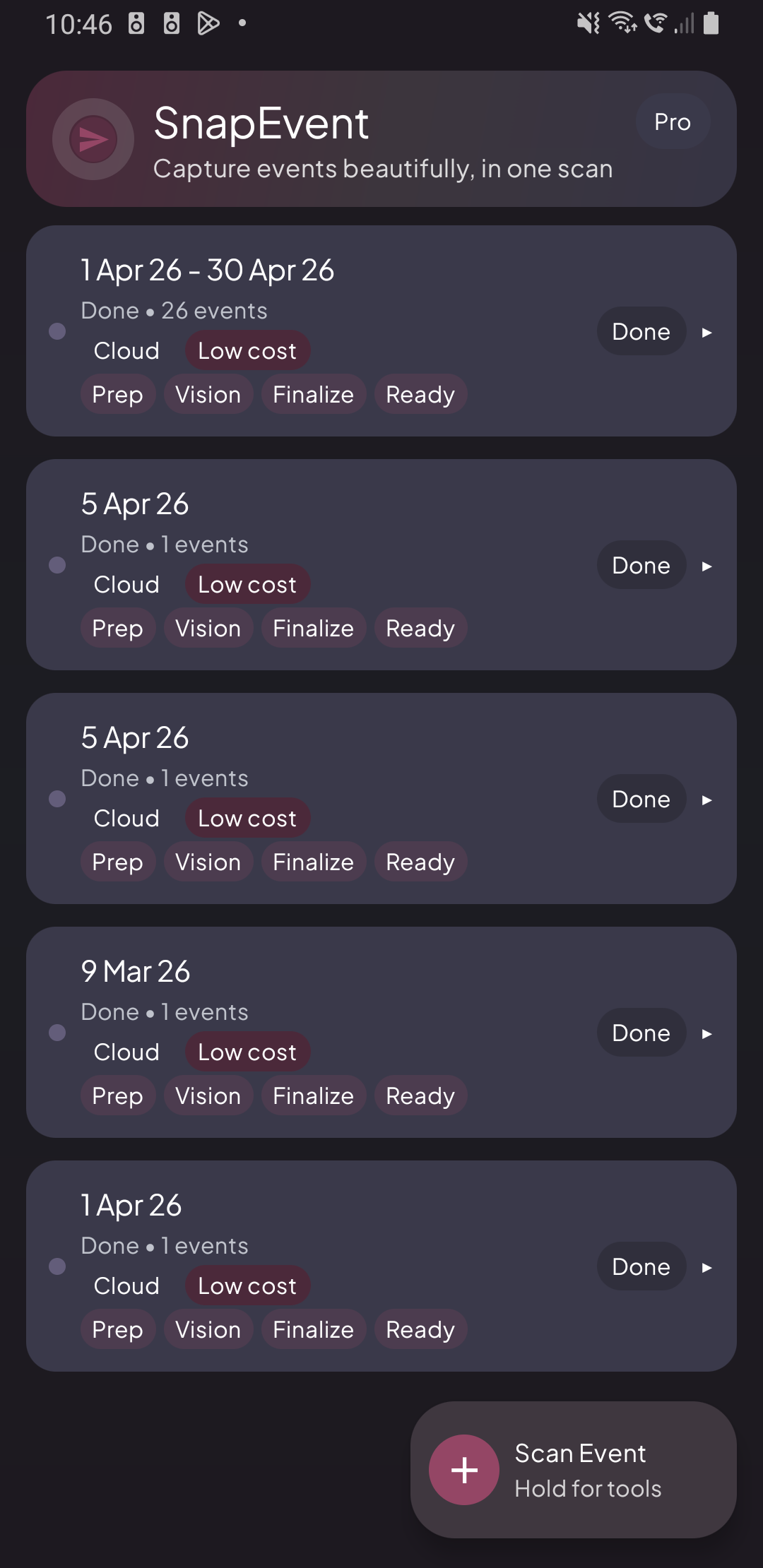
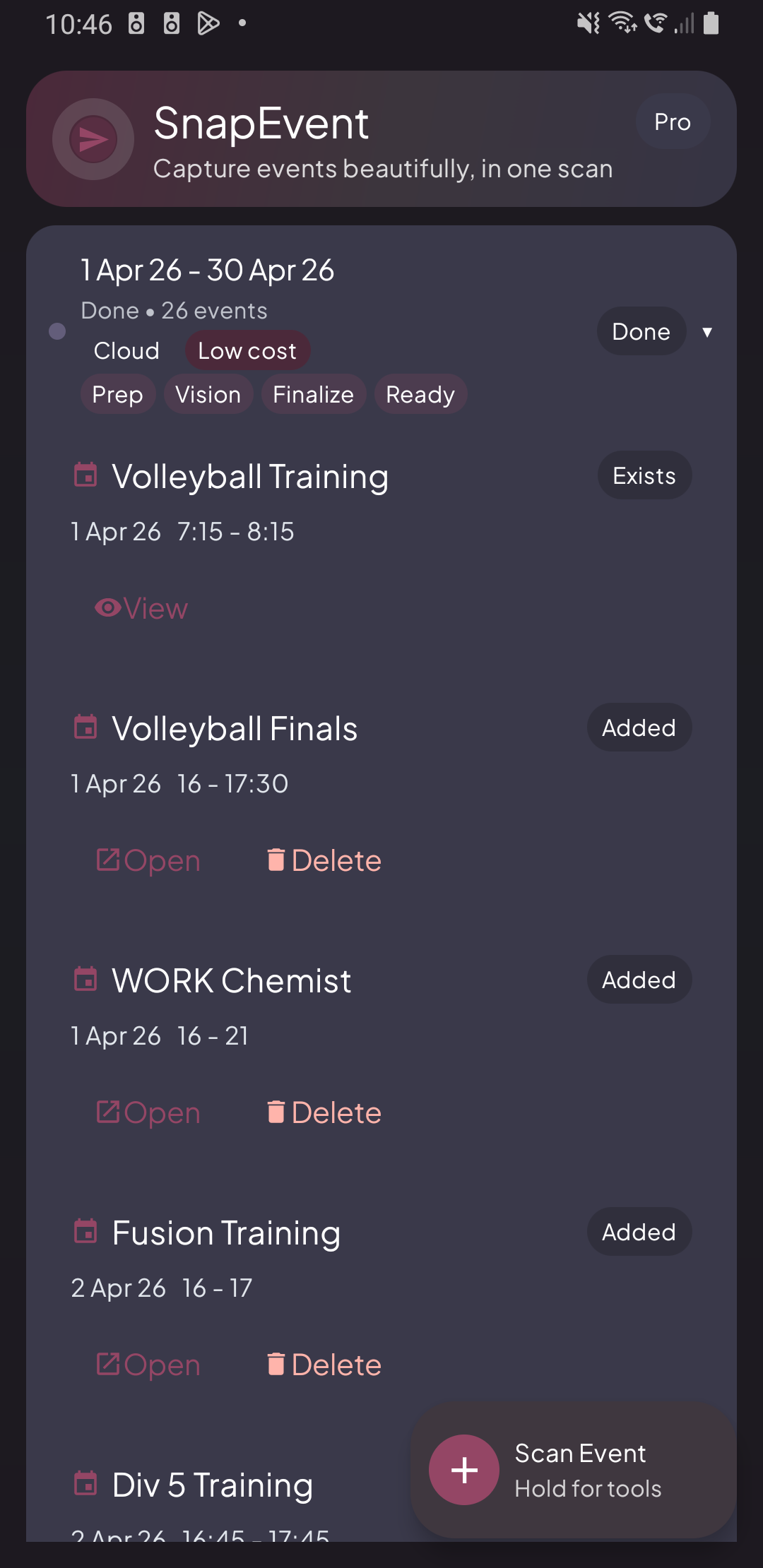
Screenshots
FAQ
SnapEvent is an Android app that turns event images into calendar entries faster than manual typing.
Screenshots, posters, flyers, school notices, fixture lists, and other images that contain event details.
No blind trust. You review and can edit details before saving to your calendar.
SnapEvent is currently in testing. If you want access, use the Join testing button and we’ll reach out.
Yes, SnapEvent is designed to handle cases where a single image contains multiple event entries.
Not always. Results depend on image quality, layout, and how clearly event details appear, so review before saving.
Get updates
We’re keeping the first version lean. If you want early access or updates, get in touch.